





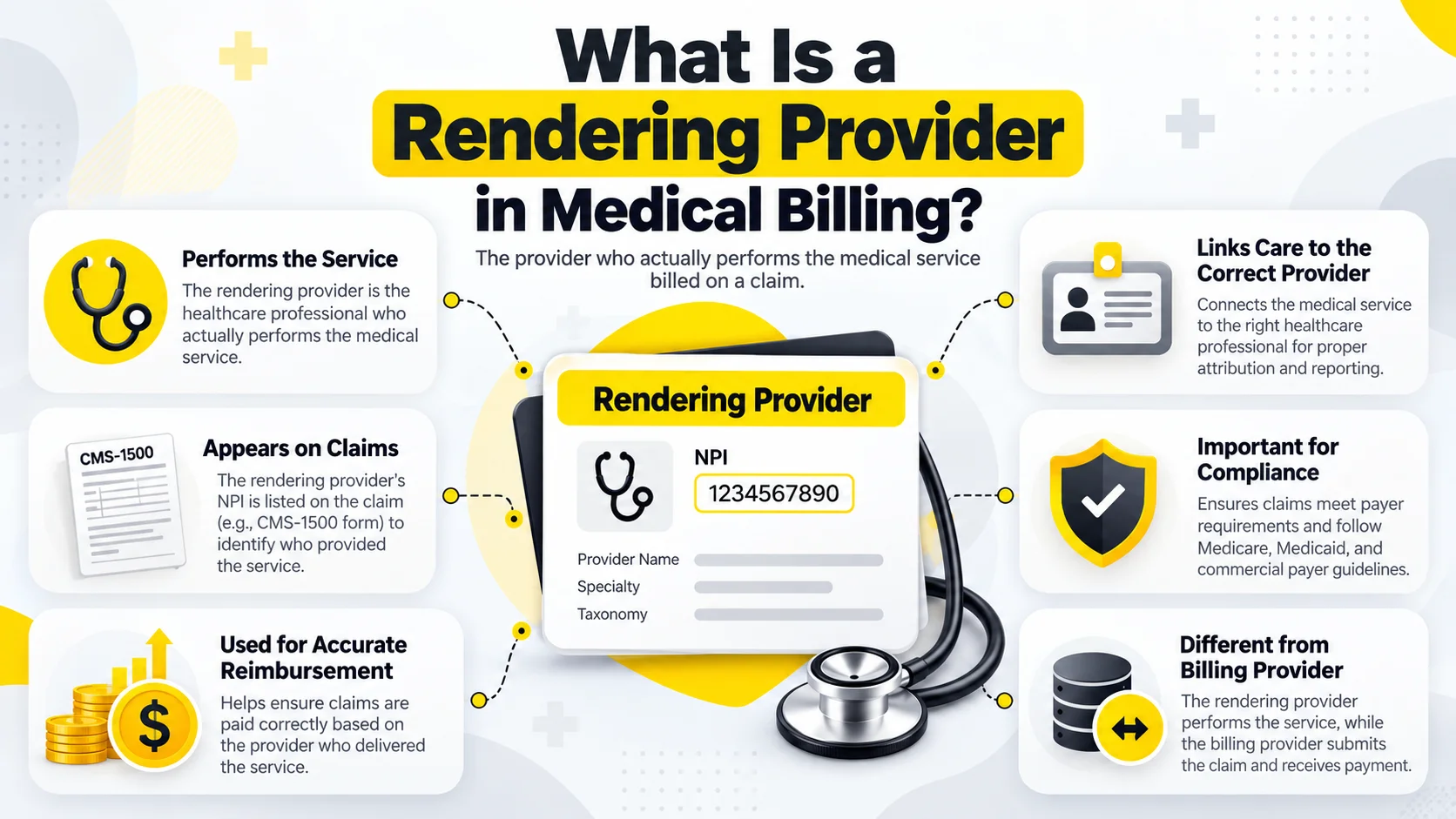
A rendering provider in medical billing is the healthcare professional who performed or directly supervised the service shown on a claim. The rendering provider may be a doctor, nurse practitioner, therapist, or another qualified professional. Payers use this information to confirm who treated the patient and whether that person can bill for the service.
The rendering provider is not always the person or organization that submits the claim. This difference affects provider numbers, enrollment, network status, and payment. This guide explains each role in simple terms and shows how billing teams can prevent errors that slow down claims.
Table of Contents
ToggleWhat Is a Rendering Provider in Medical Billing?
A rendering provider in medical billing is the individual who gave the patient the billed service or directly supervised it when payer rules allow supervision. The claim links that professional to the service line so the payer can review identity, qualifications, enrollment, and coverage.
For example, a medical group may submit a claim for a visit performed by one of its doctors. The group appears as the billing provider, while the doctor appears as the rendering provider. Both records must match the information that the payer has on file.
Why the Rendering Provider Matters
Payers need to know who actually delivered care. They use the rendering provider information to check the professional license, specialty, network status, enrollment, and ability to perform the billed service. This check also helps payers apply contract terms and payment rules.
Correct information supports clean claim processing. A valid procedure code and diagnosis may still fail when the provider record is missing, inactive, or placed in the wrong claim field. Accurate setup gives the payer a clear match from the service to the professional.
Who Can Be a Rendering Provider?
The role can belong to a physician, nurse practitioner, physician assistant, therapist, psychologist, social worker, or another qualified healthcare professional. The exact choice depends on the service, state rules, payer policy, license, and enrollment record.
A staff member should not select a name only because that person works at the practice. The professional must have the right role in the patient record and must meet the payer requirements for the service date. Practices should confirm this during claim review.
Rendering Provider vs Billing Provider
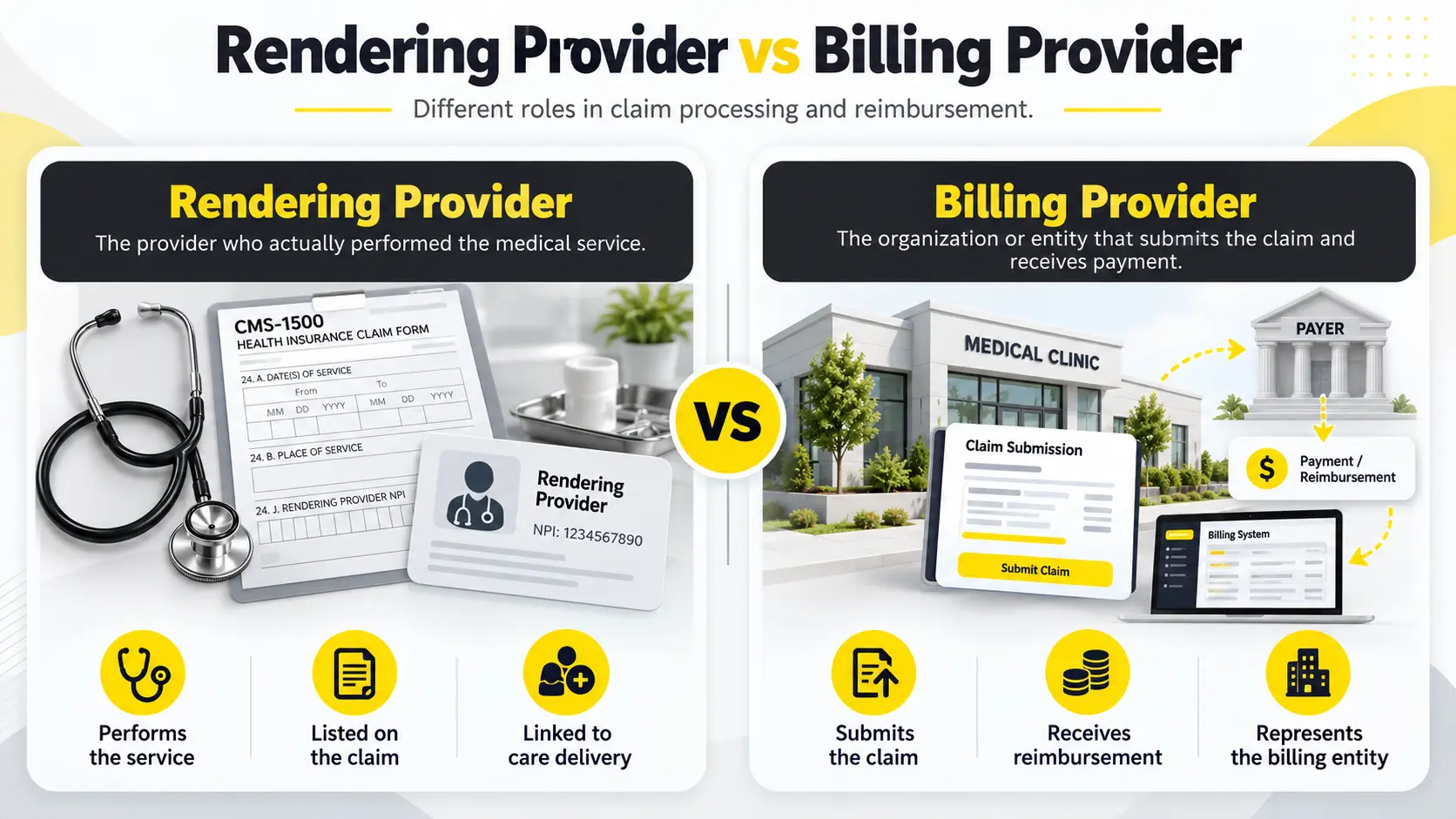
The rendering provider vs billing provider difference is simple. The rendering provider performs the care, while the billing provider submits the claim and expects payment. In a group practice, the individual clinician usually renders the service and the organization bills for it.
A solo professional can fill both roles when the person performs the service and bills under an individual practice. The roles can share one NPI in that case, but staff must still place the information in the fields required by the payer.
When Both Roles Are the Same
A provider may serve as both the rendering and billing provider when working as a solo professional. The professional performs the service, sends the claim, and receives payment under the same enrolled record.
Even when the roles are the same, the claim must follow the payer format. Some systems copy the billing information into other fields, while others require a separate entry. Staff should test the setup before sending many claims.
When the Roles Are Different
The roles differ when an organization bills for care delivered by an individual clinician. This setup is common in group practices, clinics, therapy offices, and other healthcare organizations. The organization and professional normally have separate provider records.
The payer must recognize the relationship between them. If the clinician has not joined the group enrollment or contract, a claim may reject even when both NPIs are valid. Credentialing and billing teams should confirm the link before the first service date.
Rendering NPI
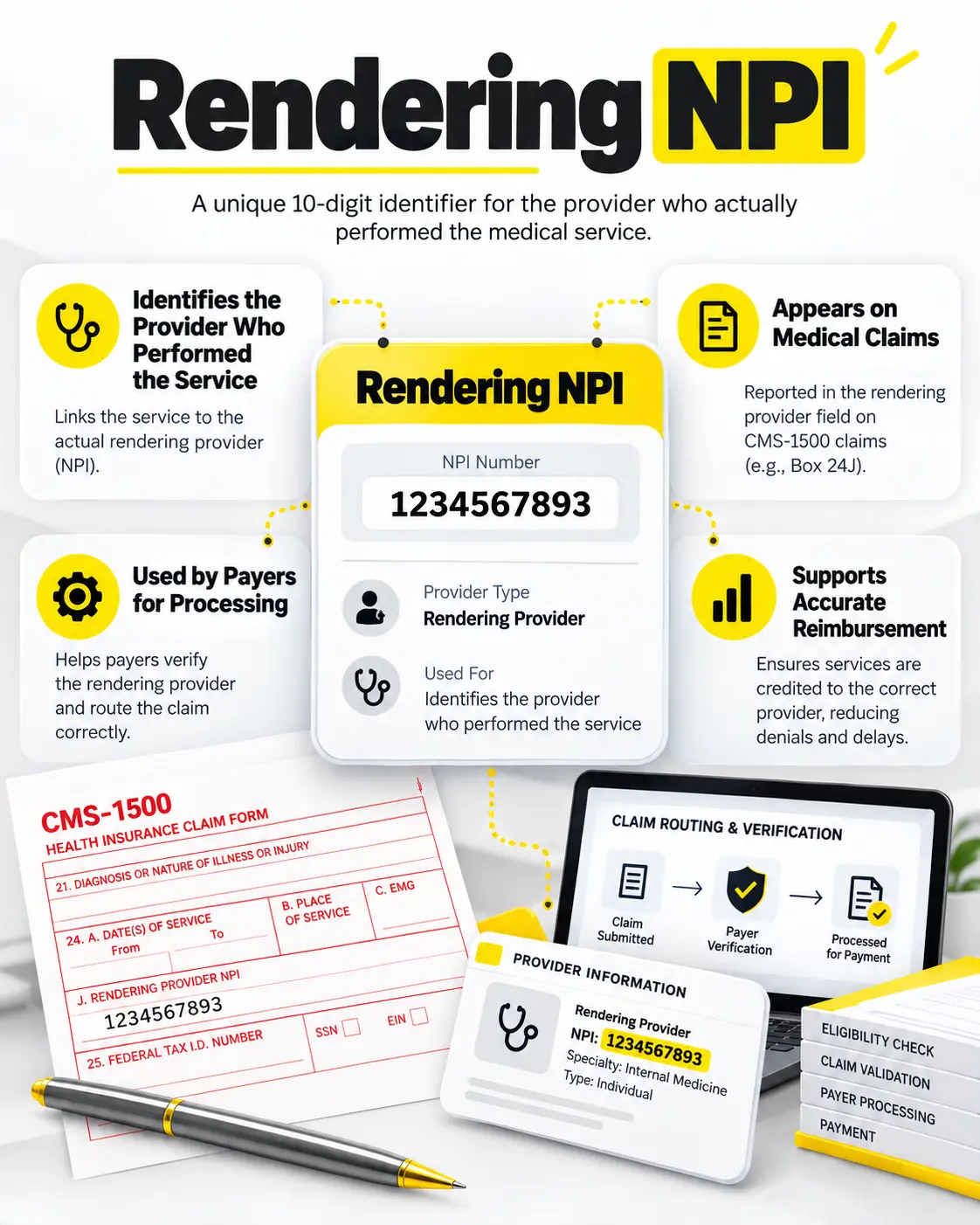
A rendering npi is the National Provider Identifier for the individual professional who delivered the care. It is usually a Type 1 NPI because it identifies a person. The number stays with that person even after a job or address change.
Staff can confirm public NPI information through the official NPI Registry. The registry confirms identity data, but it does not prove that the professional has active enrollment or a contract with every payer.
How Type 1 and Type 2 NPIs Work
A Type 1 NPI identifies an individual healthcare professional. A Type 2 NPI identifies an organization such as a group practice, clinic, hospital, or company. A group claim often uses both types for different roles.
The individual Type 1 NPI usually identifies the professional who provided care. The organization Type 2 NPI usually identifies the entity that submitted the claim. Using the correct type helps the payer find the right enrollment and payment records.
Where the Rendering Provider Appears on a Claim
On a professional claim, the rendering provider information connects with the service line. The exact electronic location depends on the claim format and payer instructions. Billing software normally sends the data from the clinician profile.
A paper CMS 1500 claim commonly shows the rendering professional in the section for the rendering provider and individual NPI. The billing provider information appears in a different section. Staff should check the final claim view, not only the patient note.
Rendering Provider on Electronic Claims
Electronic claims carry provider information in set loops and segments. Practice software builds these records behind the screen. A user may select a clinician name, while the system sends the related NPI and other required data.
This automation saves time, but a profile mistake can affect every claim for that clinician. Teams should review a test claim after adding a provider, changing a location, or updating enrollment. Early review prevents a large batch of rejections.
Rendering Physician Meaning
The rendering physician meaning is the doctor who performed or directly supervised the billed medical service. People often use rendering physician and rendering provider as similar terms, but provider is wider because it can include qualified professionals who are not physicians.
Use the term that matches the claim and payer guide. Do not list a doctor simply because the doctor owns the practice. The claim should identify the professional connected to the care and documentation for that service date.
Rendering Provider vs Servicing Provider
The rendering provider vs servicing provider wording can vary by payer and program. Both terms may describe the professional who gave the service. In some systems, a servicing provider can also mean the person or entity responsible for a specific service line.
Because the labels are not always used in the same way, staff should read the payer definition. They should confirm whether the field expects an individual, an organization, a location, or another record before submitting the claim.
Rendering Provider and Referring Provider
A referring provider directs the patient to another professional or service. A rendering provider performs the care that appears on the claim. One person can fill both roles in some cases, but the roles describe different actions.
Certain services require referral information. The payer may check both professionals against enrollment and service rules. Staff should collect the referring provider name and NPI before billing so a missing field does not delay an otherwise correct claim.
Rendering Provider and Supervising Provider
A supervising provider oversees care under rules that apply to a service or professional. The rendering provider is the person connected to the work performed. The correct claim setup depends on who performed the service and how the payer recognizes supervision.
Practices should not assume that the supervisor always belongs in the rendering field. They should review payer policy, state rules, and documentation. The patient record must support every provider role reported on the claim.
How Enrollment Affects Rendering Claims
A valid NPI does not prove active payer enrollment. The professional may need individual enrollment and a link to the billing group. The payer may also require an approved specialty, service location, and effective date.
When a clinician joins a practice, the enrollment process should begin before claims are sent. Billing teams should know the approved date and any limits. Claims for an earlier date may deny even if the provider later becomes active.
Common Rendering Provider Errors
Common errors include sending the group NPI instead of the individual NPI, selecting the wrong clinician, using an inactive record, or billing before group enrollment becomes active. A claim can also fail when the provider specialty or location does not match the payer file.
Another problem starts inside the billing system. Staff may copy an old profile or use a default clinician for every visit. The claim then conflicts with the note. Regular profile checks and clear staff training can stop this pattern.
How to Correct a Rendering Provider Error
Read the rejection or denial message and identify the provider field involved. Compare the claim with the note, scheduling record, NPI record, group enrollment, and payer portal. Correct the source profile before changing a single claim.
If the claim carried the wrong data, follow the payer process for a corrected claim. If enrollment is missing, complete that work first and confirm the effective date. Repeatedly sending the same claim without fixing the cause can waste time.
How Practices Can Prevent Provider Mismatches
Create one trusted record for each clinician. Include the legal name, individual NPI, specialty, license, payer status, group link, locations, and effective dates. Give one team member responsibility for updates and share changes with billing staff.
Review a sample claim when a provider joins, changes a location, or receives a new payer approval. Compare the claim with the patient note and enrollment file. A short check at setup can prevent weeks of corrections and payment delays.
Why Accurate Rendering Data Supports Clean Claims
Accurate data helps the payer connect the service with the right professional, group, contract, and location. It lowers avoidable rejections and helps staff understand the real cause when a claim needs follow up. It also keeps provider reports and payments more reliable.
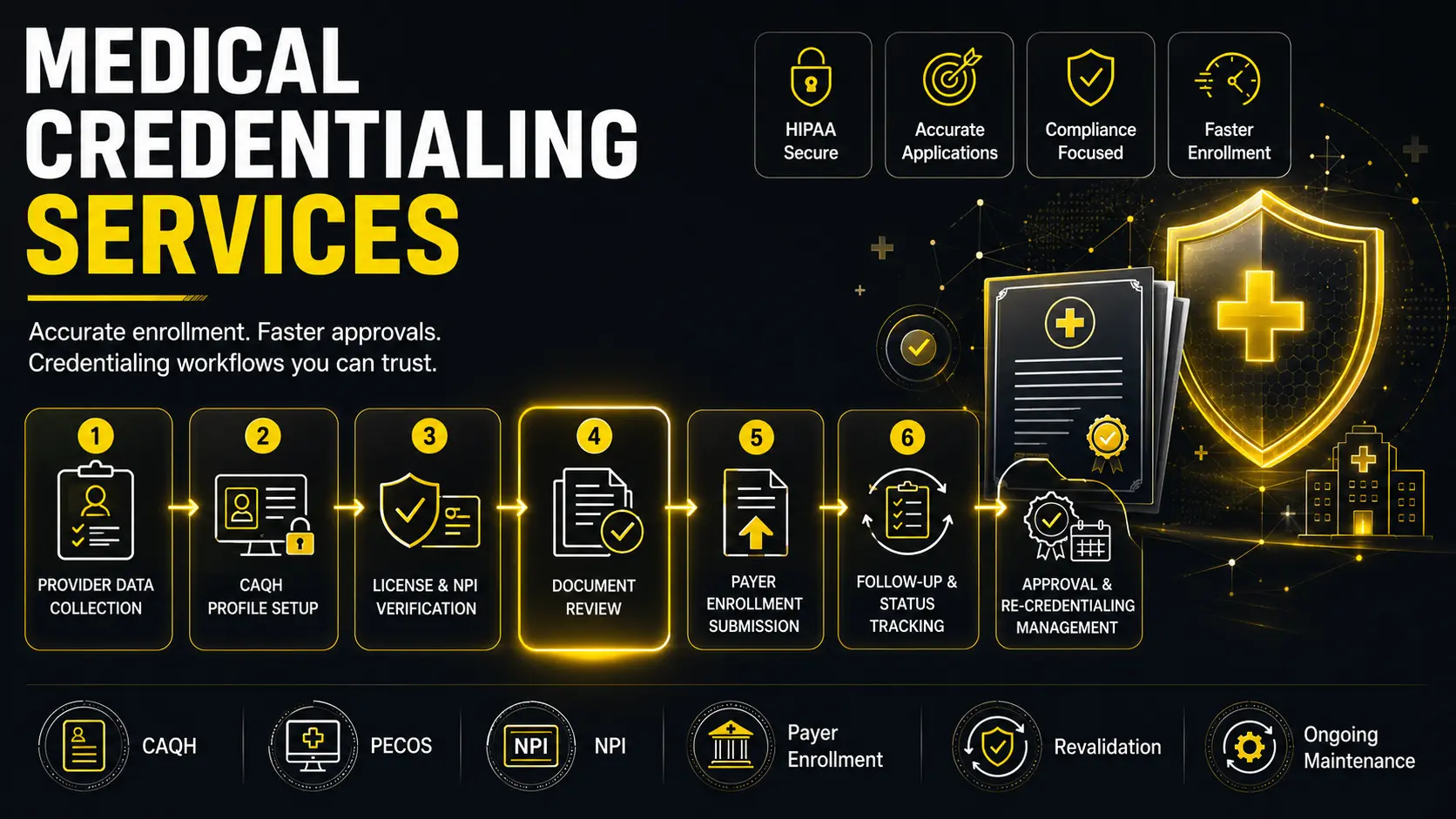
A rendering provider in medical billing must match both the patient record and payer enrollment. BillifyRCM supports this process through organized medical credentialing services. Careful setup protects revenue and reduces repeated work for the practice.